An alert when it is time to go
See You Soon has five alerts: a reminder before leave time, "Leave now" at leave time, "Running late" 5 minutes after, "Leave earlier" when the journey gets longer, and "Where are you?" for a job with no address. They need notifications allowed. The first three come from the last plan made while the app was open.
Leave in 15 min for Mrs Patel
27 min to 12 Blackstock Road, N4 2DW. Arrive 14:00.
- Navigate
- Call
- Message
Leave now for Mrs Patel
27 min to 12 Blackstock Road, N4 2DW. Arrive 14:00.
- Navigate
- Call
- Message
Running late for Mrs Patel
You were due to leave at 13:23. 27 min to 12 Blackstock Road, N4 2DW.
- Navigate
- Call
- Message
Leave earlier for Mrs Patel
Traffic has got worse. Leave at 13:15, 8 min earlier than planned.
- Navigate
- Call
- Message
Where are you?
Tap repair has no address, so the drive to Mrs Patel at 14:00 is a guess. Open the app and tap Here to fix it.
- Navigate
- Call
- Message
How it works
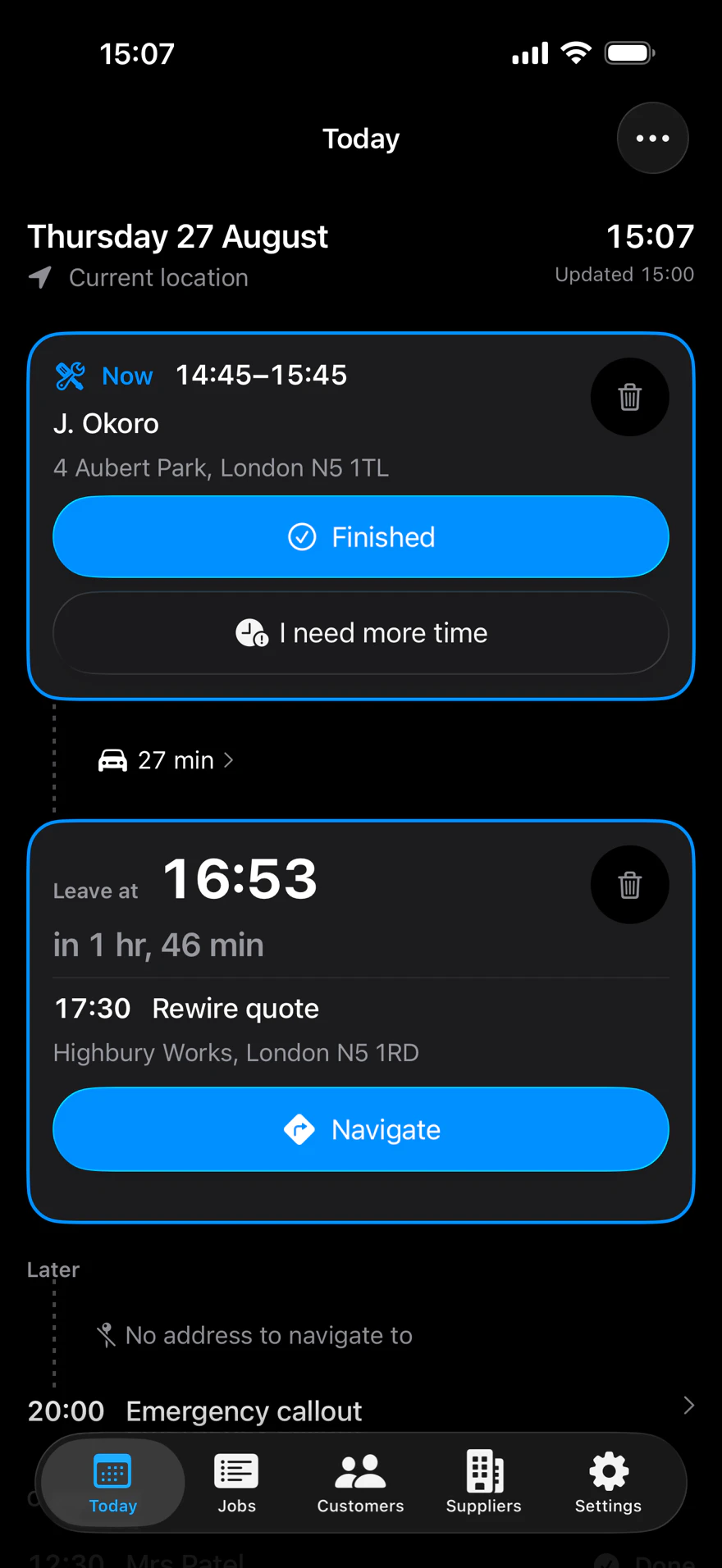
The app plans your day while it is open. From that plan it schedules the reminder, "Leave now" and "Running late" for each job with a leave time.
They arrive with the app closed. They come from the last plan the app made, so open the app each morning.
Two more come while the app is open. "Leave earlier" when a new plan moves the next leave time earlier. "Where are you?" when a job with no address is costing a later leave time.
Every alert has Navigate, Call and Message. Each button opens the app first, then Apple Maps, the dialler or the message sheet. Tapping the alert opens the job.
The facts
| Reminder | Before leave time, 15 minutes by default. 5 to 60, in steps of 5 |
|---|---|
| "Leave now" | At leave time. Sent as a Time Sensitive notification |
| "Running late" | 5 minutes after leave time. Sent as a Time Sensitive notification |
| "Leave earlier" | When the next leave time moves earlier by 5 minutes or 15 percent of the journey, whichever is larger |
| "Where are you?" | Ten minutes into a job with no address. At most once per job each time the app is opened |
| "Still at" | A reminder or "Leave now" due during the previous job, or up to one reminder period after its booked end, is titled Still at <previous job>? |
| Scheduled at once | At most 60 |
What it needs
- Notifications allowed. Without them, leave times still show in the app and nothing interrupts you.
- A job with a leave time, for the reminder, "Leave now" and "Running late".
- The app open, for "Leave earlier" and "Where are you?".
What it doesn't do
- The wording of an alert can't be changed.
- Whether an alert comes through a Focus is set in the iPhone's own Settings.
- Alerts scheduled from the last plan don't include calendar changes made since you last opened the app.
Questions
What alerts does it send?
Five: a reminder before you need to leave, "Leave now" at leave time, "Running late" 5 minutes after, "Leave earlier" when the journey gets longer, and "Where are you?" for a job with no address. All need notifications allowed.
Will alerts arrive when the app is closed?
The reminder, "Leave now" and "Running late" do. They are scheduled from the last plan made while the app was open. "Leave earlier" and "Where are you?" are produced only while the app is open.
Can I change how early the reminder comes?
Yes. "Remind me" in Settings runs from 5 to 60 minutes before leave time, in steps of 5. It starts at 15.
Why didn't I get an alert today?
Check that notifications are allowed, that you opened the app today, and that the job has a leave time. A job showing "Starts at" has no leave time, so it has no alerts.
What does "Still at" mean?
If an alert is due while the previous job is still booked, or just after it, the title asks "Still at" and that job's name. The body says when to leave for the next one.
Related pages
The leave times these alerts come from: Your day. When you are late anyway: Running late.
About See You Soon
See You Soon is a free iPhone app for tradespeople. It reads the calendar you already keep, works out when to leave for each job with travel times from Apple Maps, and writes the text to send when you are running late. You send it.